Pivot Retail™
Selling

Point of sale

Fast, keyboard-friendly POS terminals that cashiers pick up quickly and managers can control.

  • Cash sales, refunds, account sales and account refunds
  • Barcode, stock code and word search on every item search
  • Function keys for every action, with large touch buttons
  • Suspend and resume sales, price check and petty cash
  • Discounts and price changes controlled per user
  • Cash, card, EFT, vouchers, loyalty and split tenders
  • Integrated card payments with Nomad POSability
  • Slip printer, cash drawer and customer display per POS
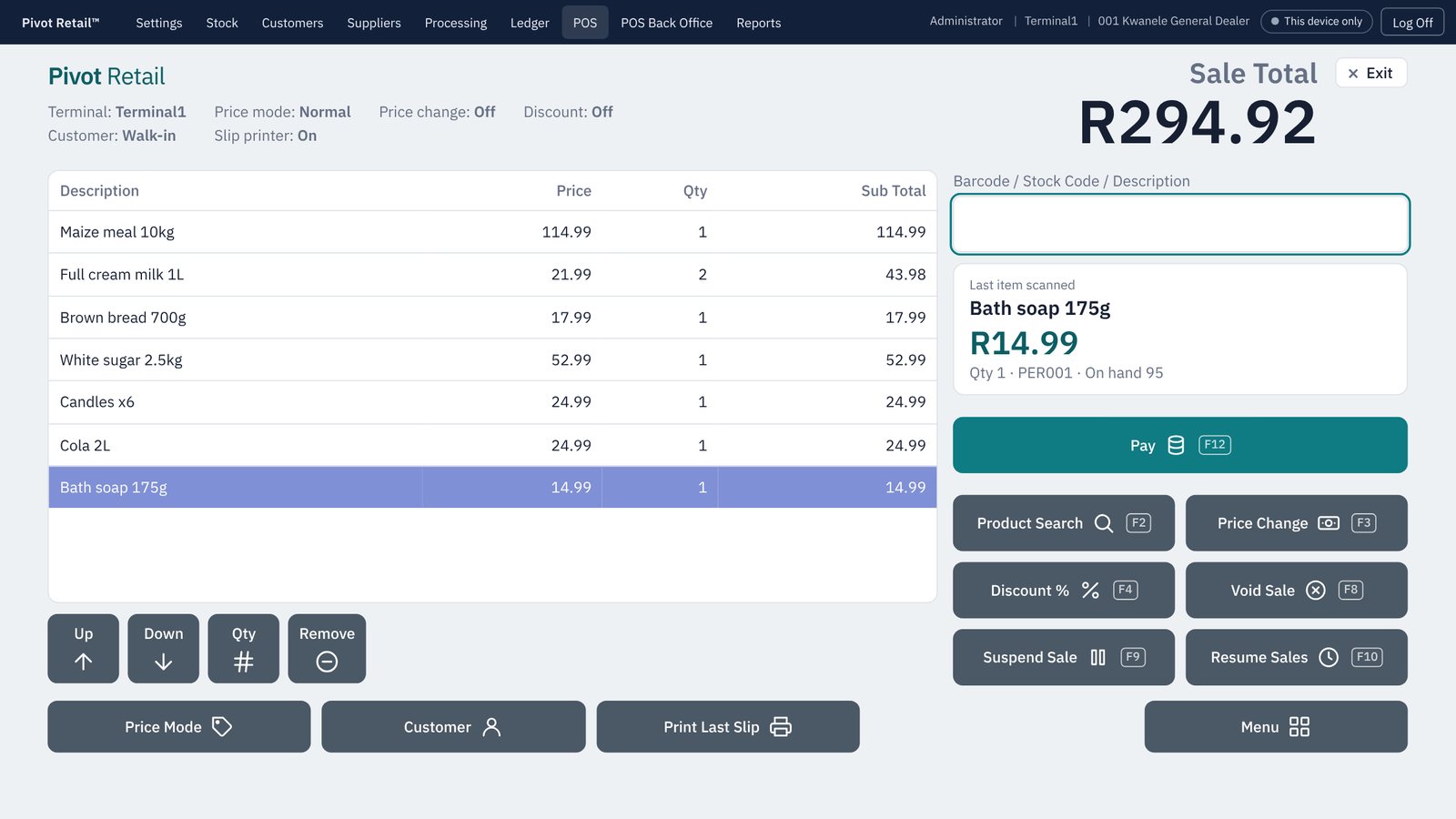
The cash sale screen
Selling

Offline selling and resilience

Trading continues when the network, the server or the power does not.

  • Each POS sells offline under its own numbering
  • Offline sales and refunds synchronise by themselves
  • Every document saved completely or not at all
  • Nightly backups to a second location, with failure warnings
  • Your own server and PostgreSQL database on site
  • Import stock, customers and suppliers from your old system
Selling

Shifts and cash control

Know exactly what each cashier took in, and where the money went.

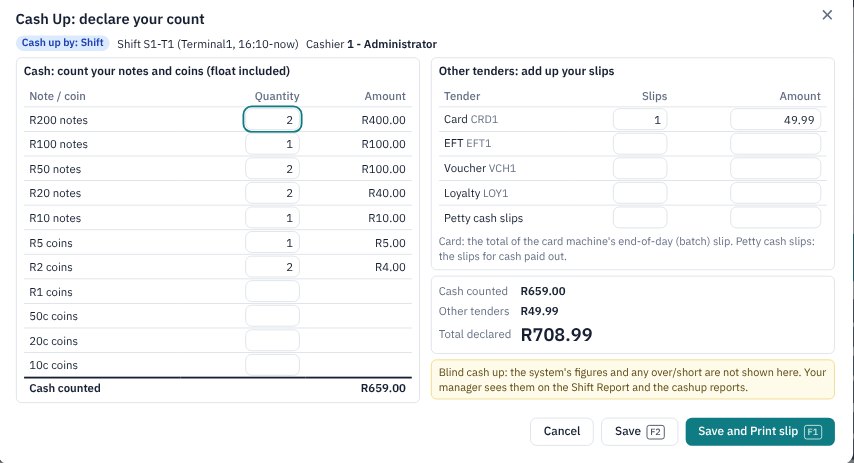
  • Blind cash-up by note and coin, with card and EFT slips
  • Recounts only with a manager PIN
  • Shift change: cash up, report, swap drawer, next cashier
  • Cash pickups and float issues
  • Shift, cashier and cash-up summary reports
  • Amend a cash-up, with every version kept
Declaring a blind cash-up
Selling

Lay-byes

Lay-byes from the POS, with deposits, payment plans and a clear record for the customer.

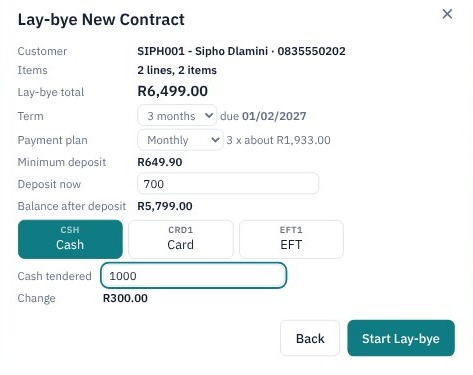
  • Start a lay-bye at the POS with a deposit and payment plan
  • Payments, cancellations and refunds with printed slips
  • Change items on a lay-bye with full version history
  • Promotion prices handled correctly
  • Fourteen lay-bye reports
Starting a new lay-bye contract
Selling

Promotions and labels

Tools that help you sell more and price with confidence.

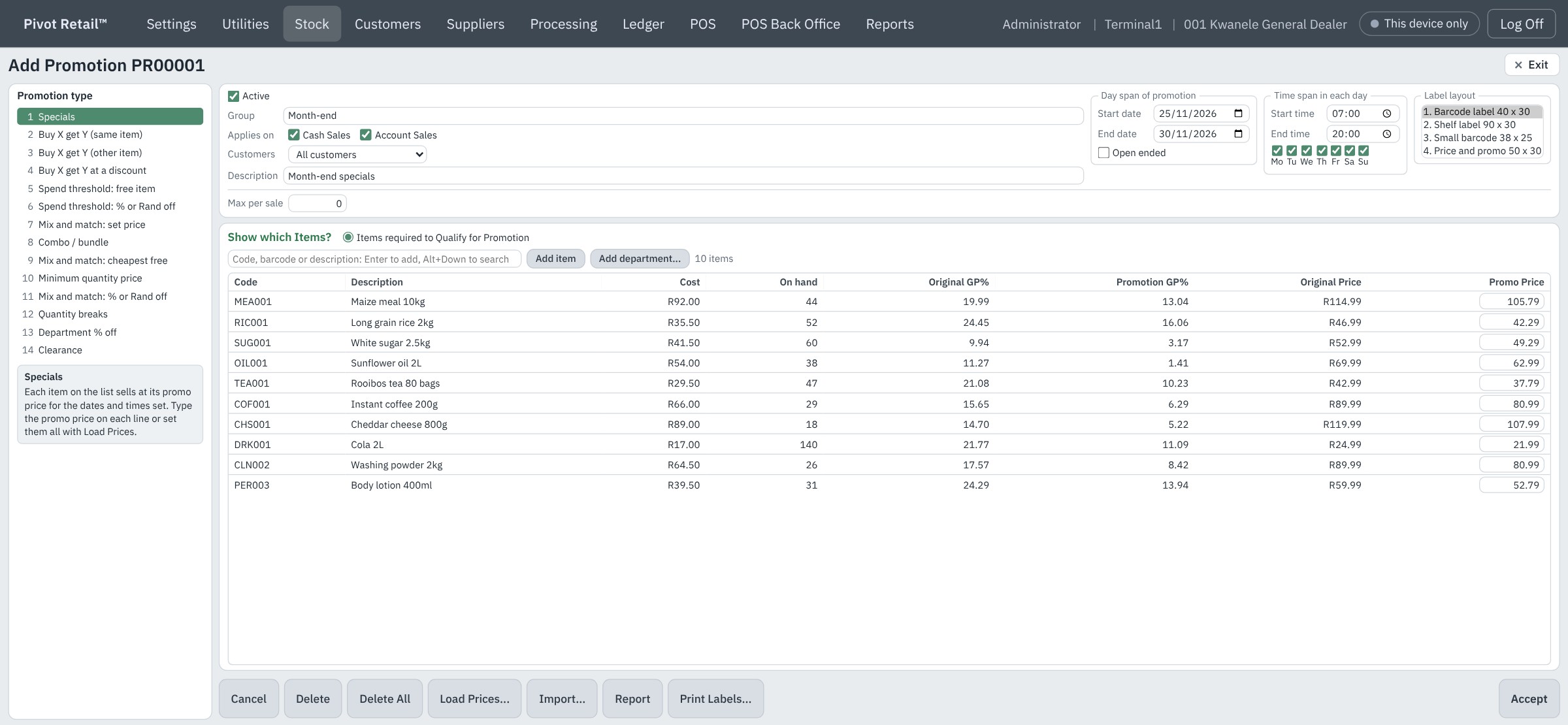
  • Fourteen promotion types, from specials and combos to mix-and-match and quantity breaks
  • Shelf and barcode labels in ten layouts you can design
  • Labels straight from goods received and price changes
  • Check and reset pricing when promotions end
Adding a Month-end specials promotion
Mobile

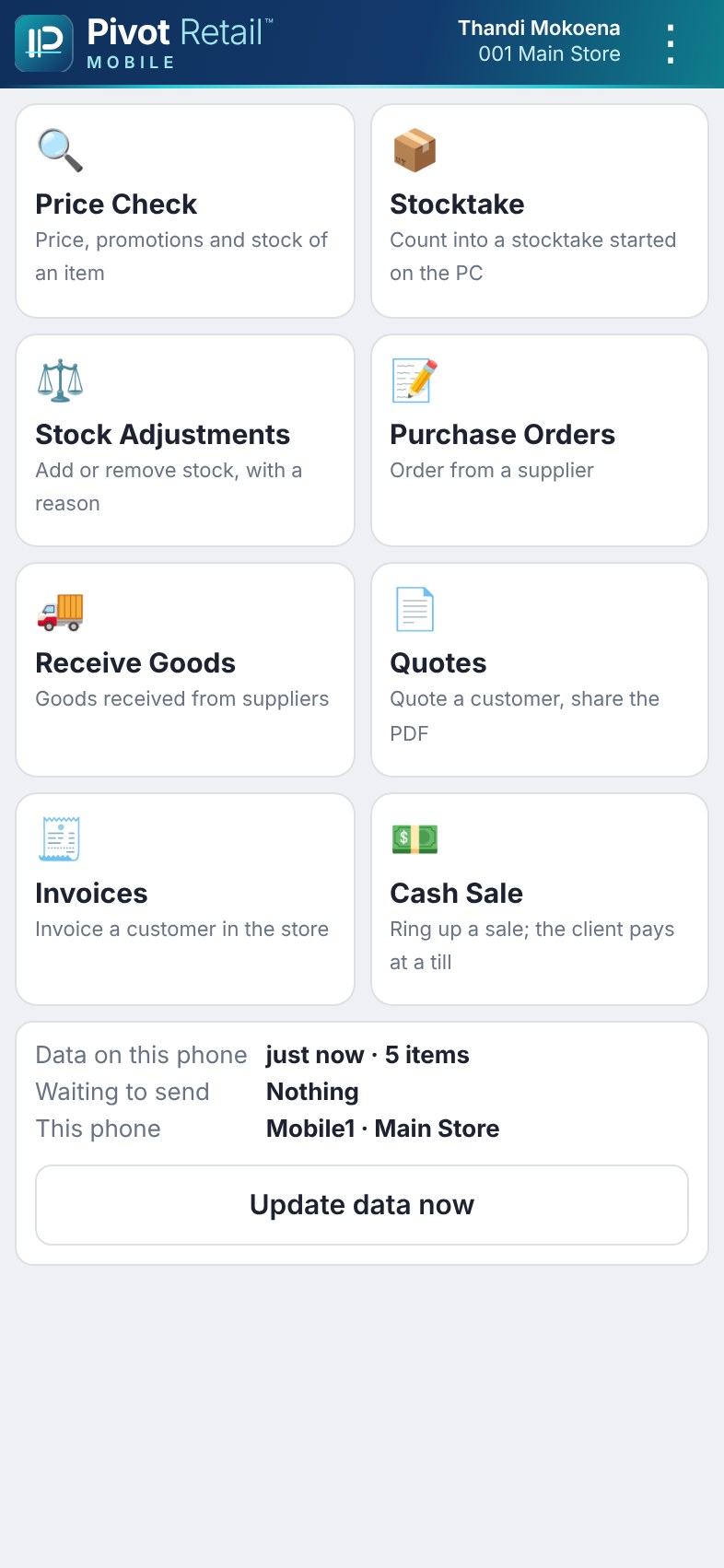
Pivot Retail MobileAdd-on

The store server in your pocket, for the shop floor and the receiving bay.

Optional add-on, licensed separately per device.

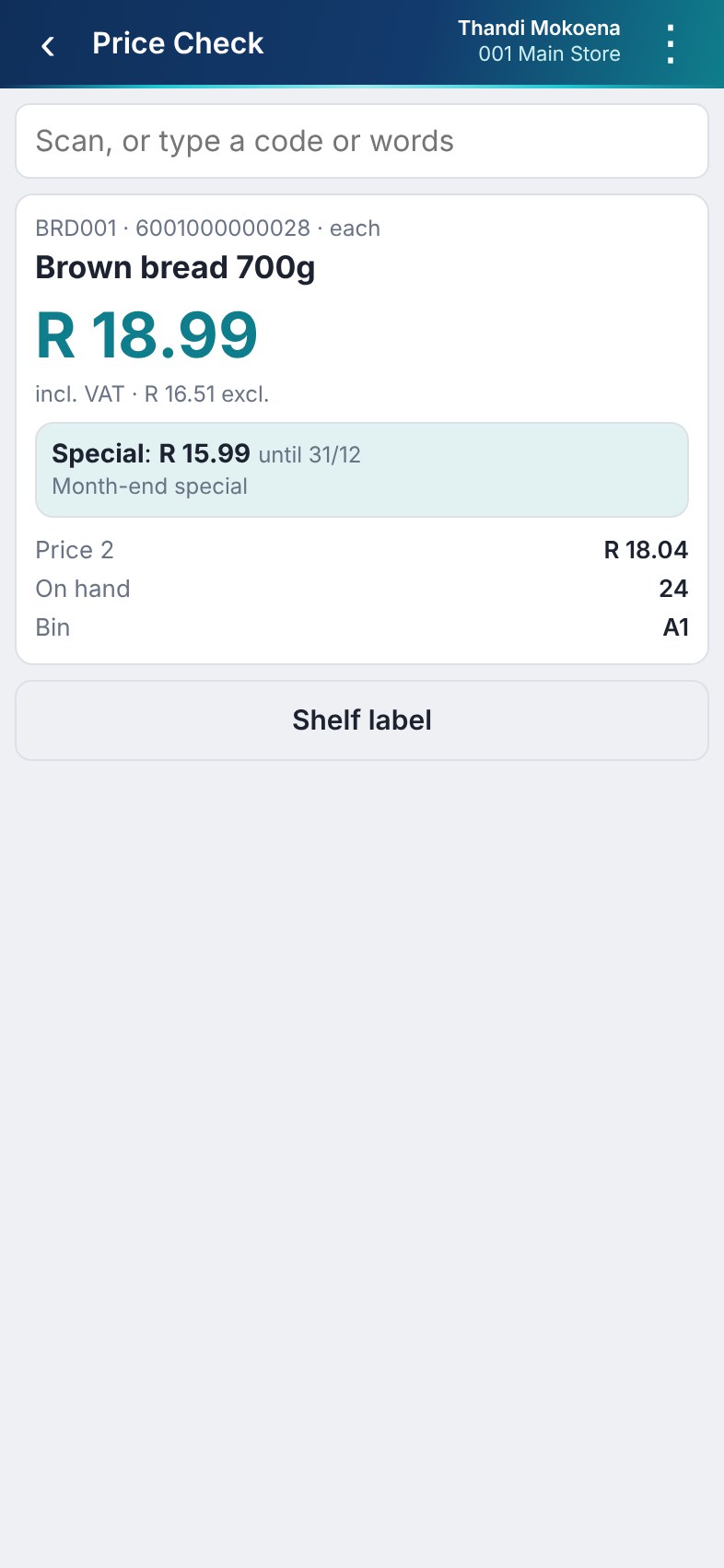
  • Price check with promotions, stock and bin
  • Stocktake capture, including capture bins
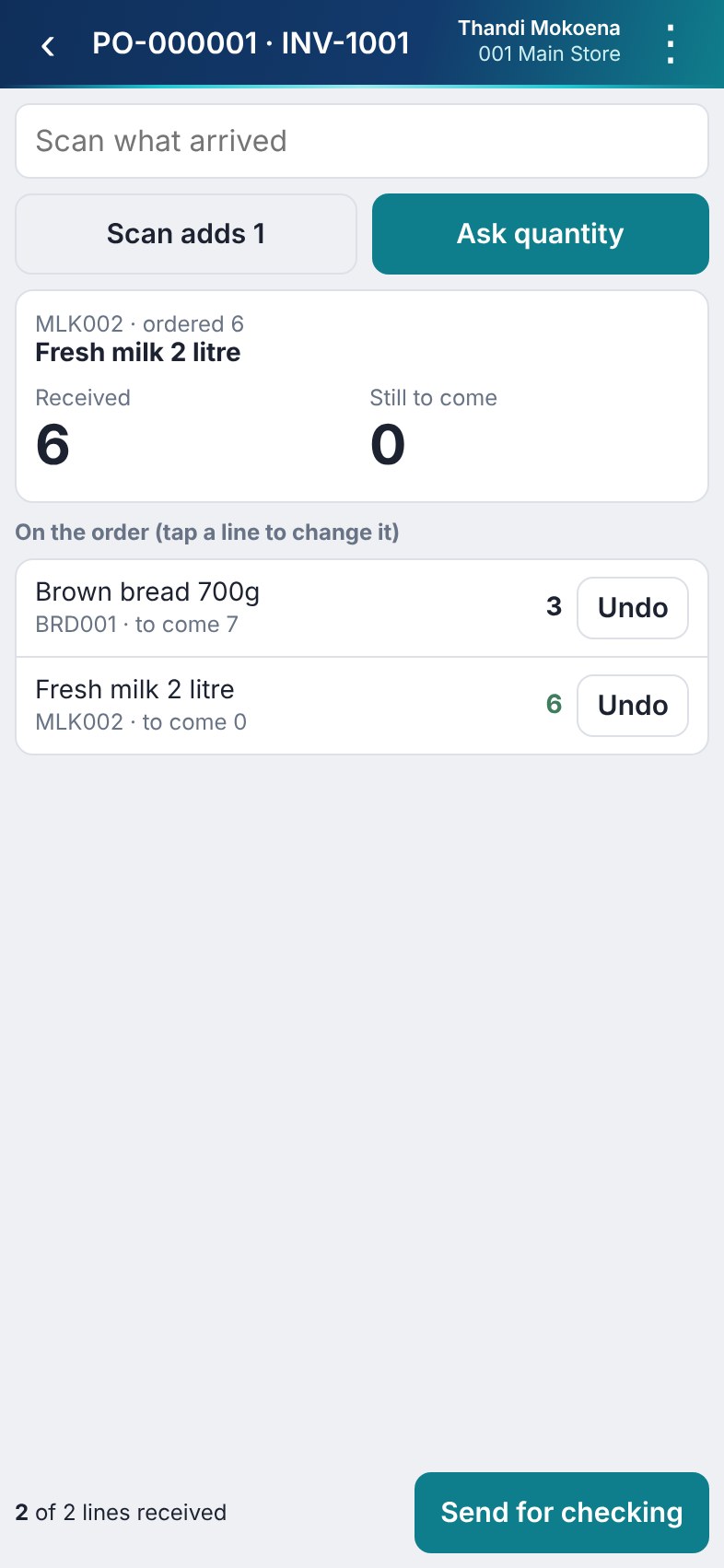
  • Goods received against an order or without one
  • Purchase orders, quotes and invoices
  • Sales sent to a POS for payment
  • Stock adjustments and shelf label requests
  • Works offline in the store and sends when connected
  • The same user rights as on the PC
Communications

WhatsApp documentsAdd-on

Invoices, quotes, statements and slips delivered straight to your customers on WhatsApp, where they already are.

Optional add-on, licensed separately.

  • A WhatsApp button on every document preview and on Statements
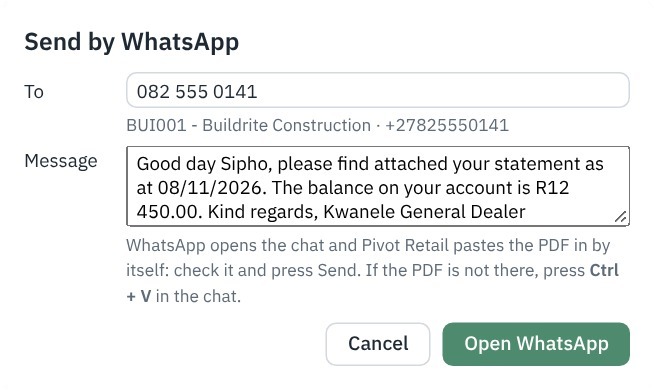
  • The chat opens and the PDF attaches itself in WhatsApp Desktop; you check it and press Send
  • The cellphone number comes from the account, or is typed once and saved
  • A personalised message already written, with the customer, document number and amount filled in
  • Password-protected PDFs for customers who ask for them
  • Allowed or not per user in Security
Sending a statement to a customer by WhatsApp
Communications

WhatsApp messagesAdd-on

A ready-made message for every kind of document, written once and used every time.

Part of the WhatsApp add-on, licensed separately.

  • Several saved messages per module; the send window lets you pick one
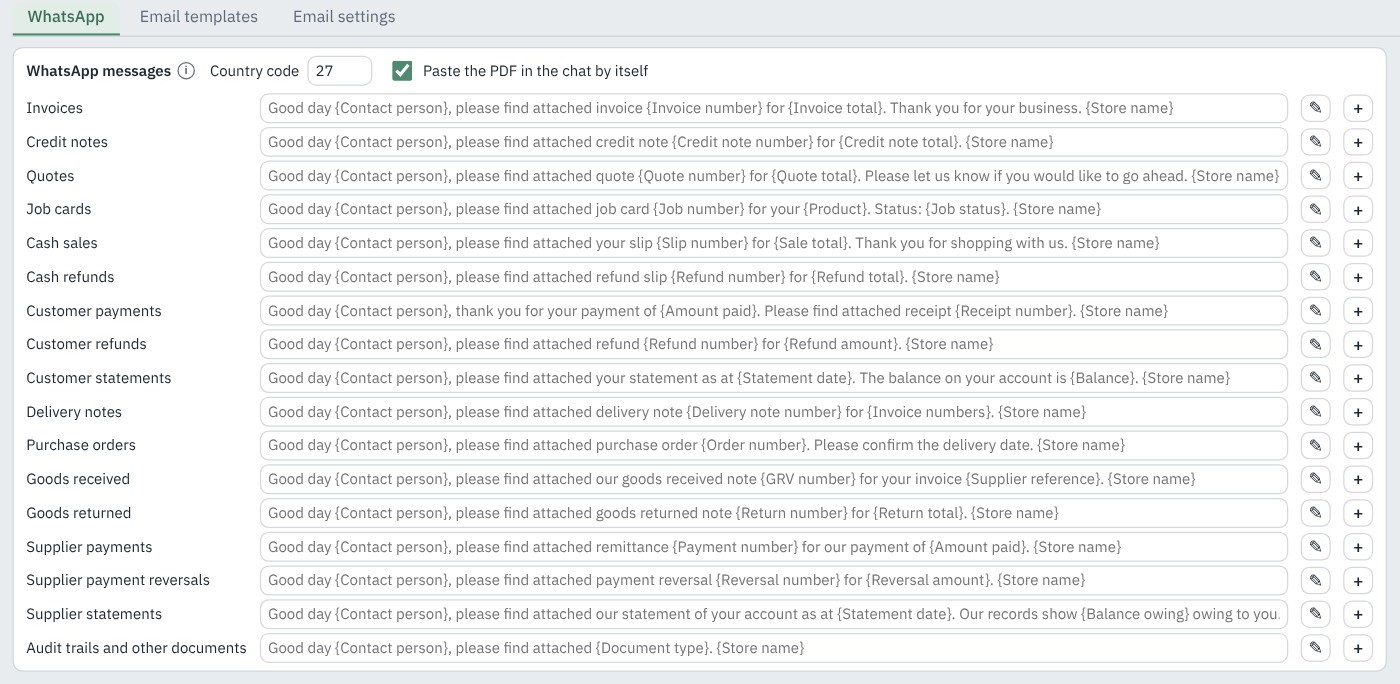
  • Edit a message by dragging in fields such as {Customer name}, {Invoice number} or {Balance}
  • A default message for every module, so it works from day one
  • Your own country code, and the PDF pasted into the chat by itself
Messages ready for:InvoicesCredit notesQuotesJob cardsCash salesCash refundsCustomer paymentsCustomer refundsCustomer statementsDelivery notesPurchase ordersGoods receivedGoods returnedSupplier paymentsSupplier payment reversalsSupplier statementsAudit trails and reports
System Settings, Communications: a WhatsApp message for every module
Communications

Email and Outbox

Advanced, professional email from every document, sent by your store server even while a POS terminal is offline.

Our own built-in SMTP server sends every email from your store server, through your business mailbox, so no Outlook or other email program is needed.

  • Email any document or report from its preview, or the last slip at the POS
  • An Outbox on the server that retries until every email is delivered
  • Microsoft 365, Gmail, cPanel and other mailboxes, per company and per user
  • Statements in batches, or on a monthly schedule
  • Automatic emails per customer and supplier, per module
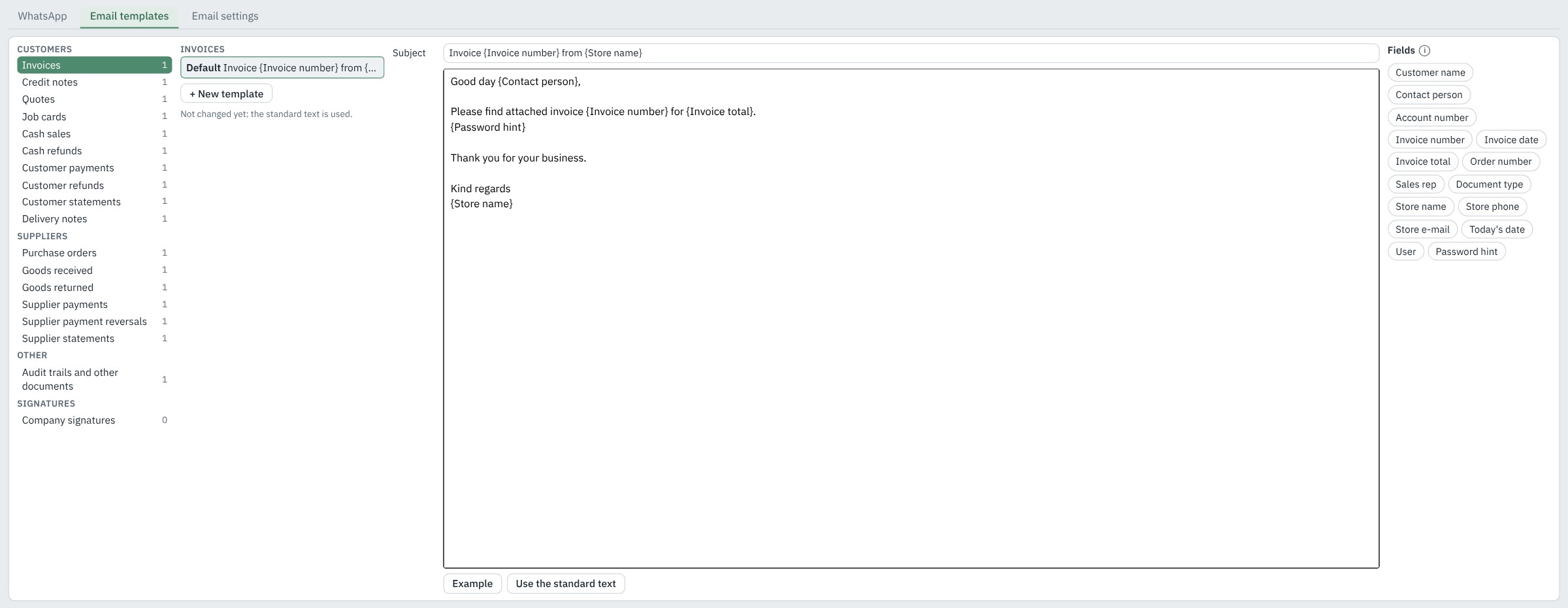
  • Templates per module with subject, body and drag-in fields
  • Or hand the email to Outlook, with the PDF attached
Email templates per module, with drag-in fields
Communications

Email signatures

Outlook-style signatures, designed in Pivot Retail, so every email carries your brand.

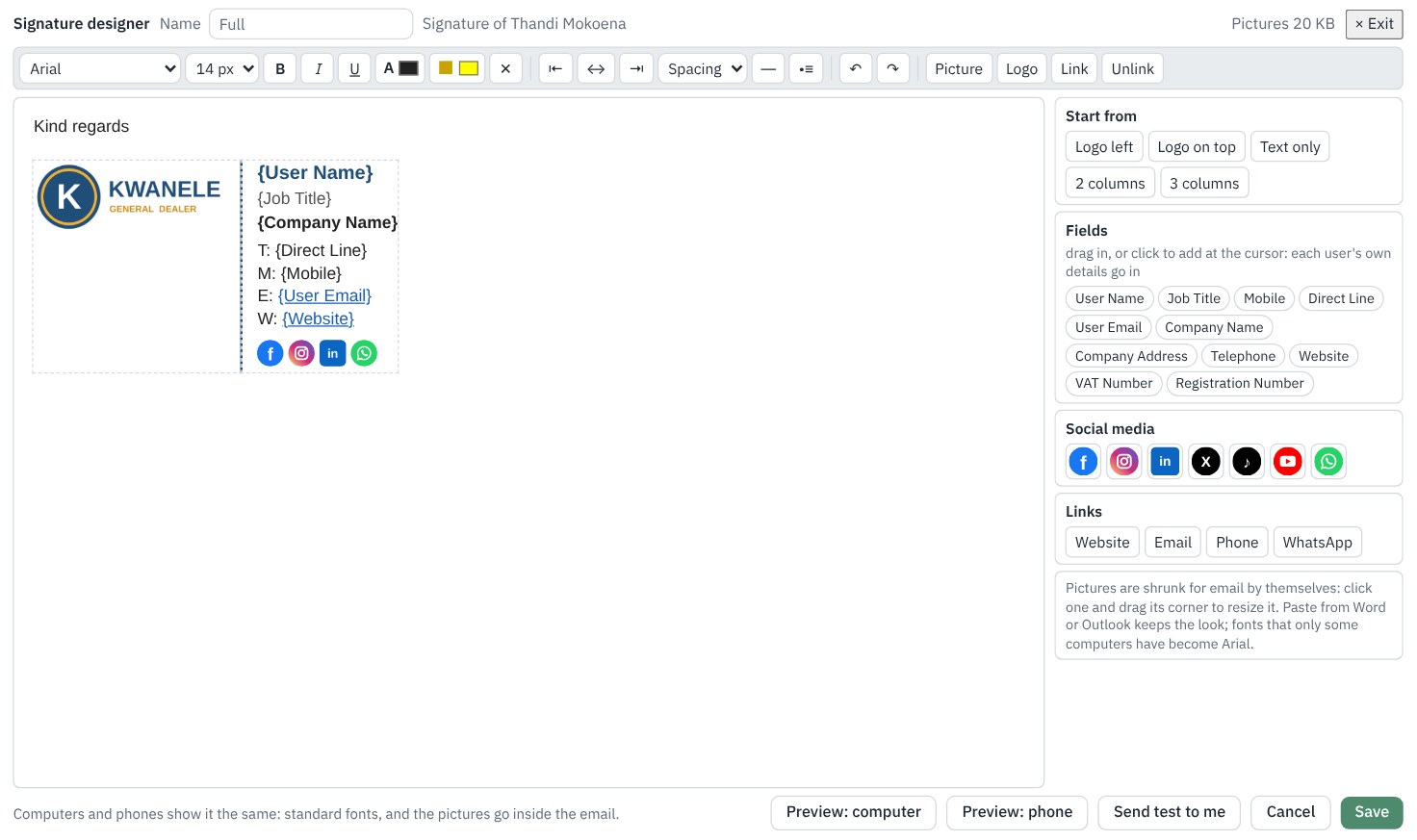
  • Fonts, colours, pictures, your logo, links and social media icons
  • Ready-made layouts, or paste an existing signature from Word or Outlook
  • Fields such as {User Name}, {Job Title} and {Mobile} fill in for each user
  • Each user's own signatures per company, plus company signatures
  • A legal footer, and a banner that shows between two dates
  • Preview on a computer and on a phone, then send a test to yourself
  • Pictures sent inside the email, so Outlook and Gmail show them straight away
The signature designer: a user signature with the company logo, fields and social media icons
Inventory

Inventory control

Accurate stock and cost, from the supplier delivery to the shelf.

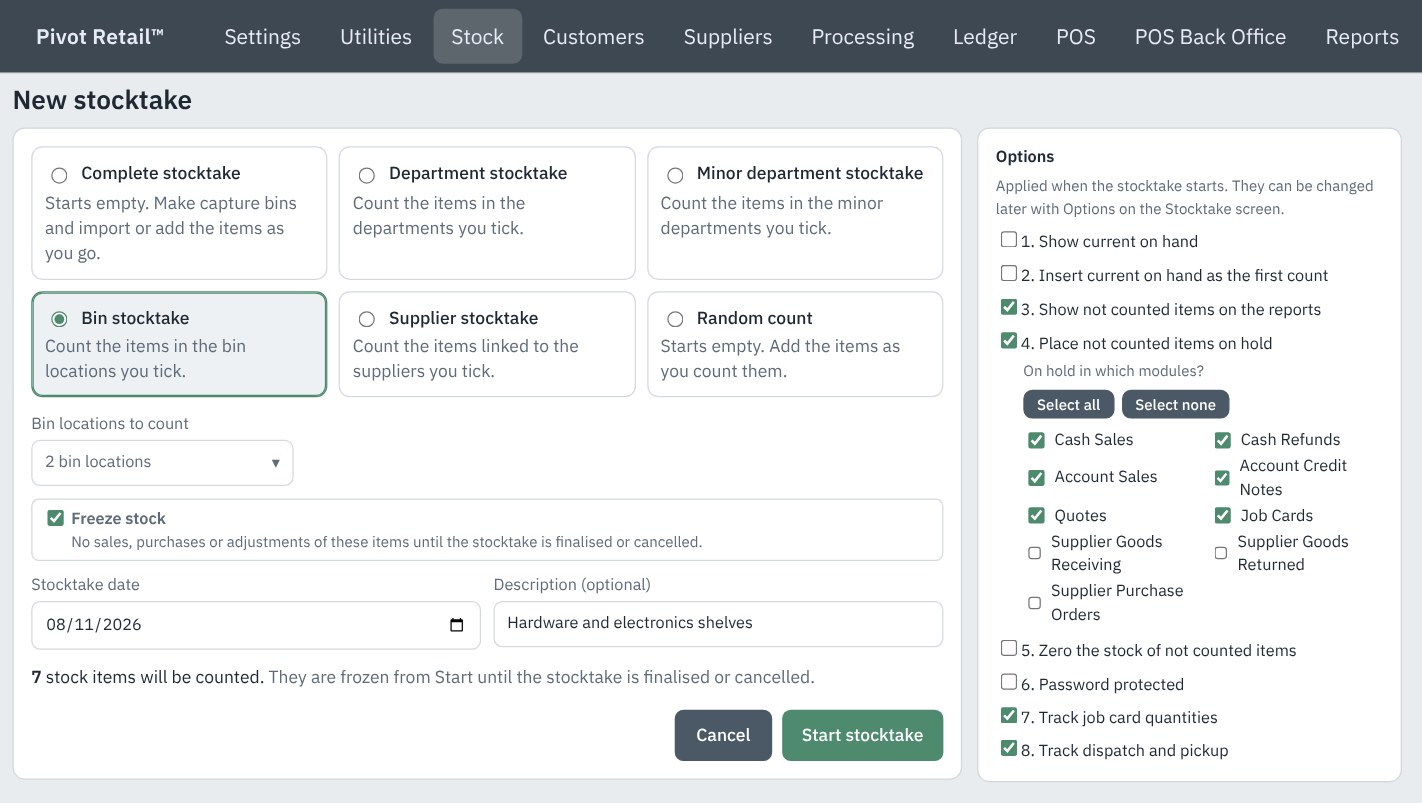
  • Complete, department, minor department, bin, supplier and random stocktakes
  • Freeze stock while a bin or minor department is counted
  • Blind counts, items not counted put on hold, and variance reports before you finalise
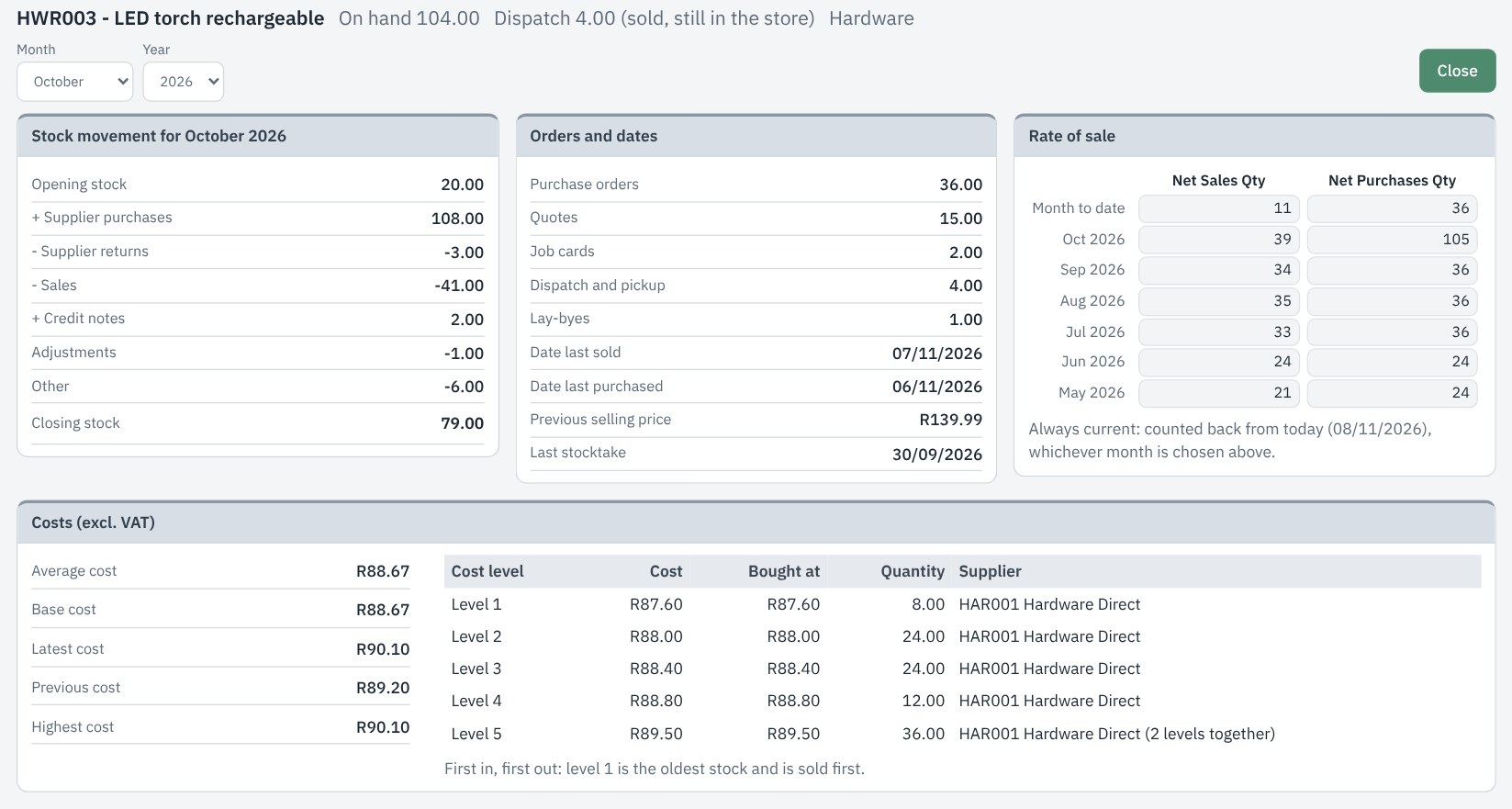
  • Advanced Item Analysis: the month's movement, orders, key dates, costs and rate of sale
  • FIFO cost levels and weighted average cost
  • Up to five sell price levels, markup on average or latest cost
  • Departments, bins, master and child items, and scale items
  • Movement history and stock valuation reports
Advanced Item Analysis: the month movement, orders and dates, costs and rate of sale of one item
Inventory

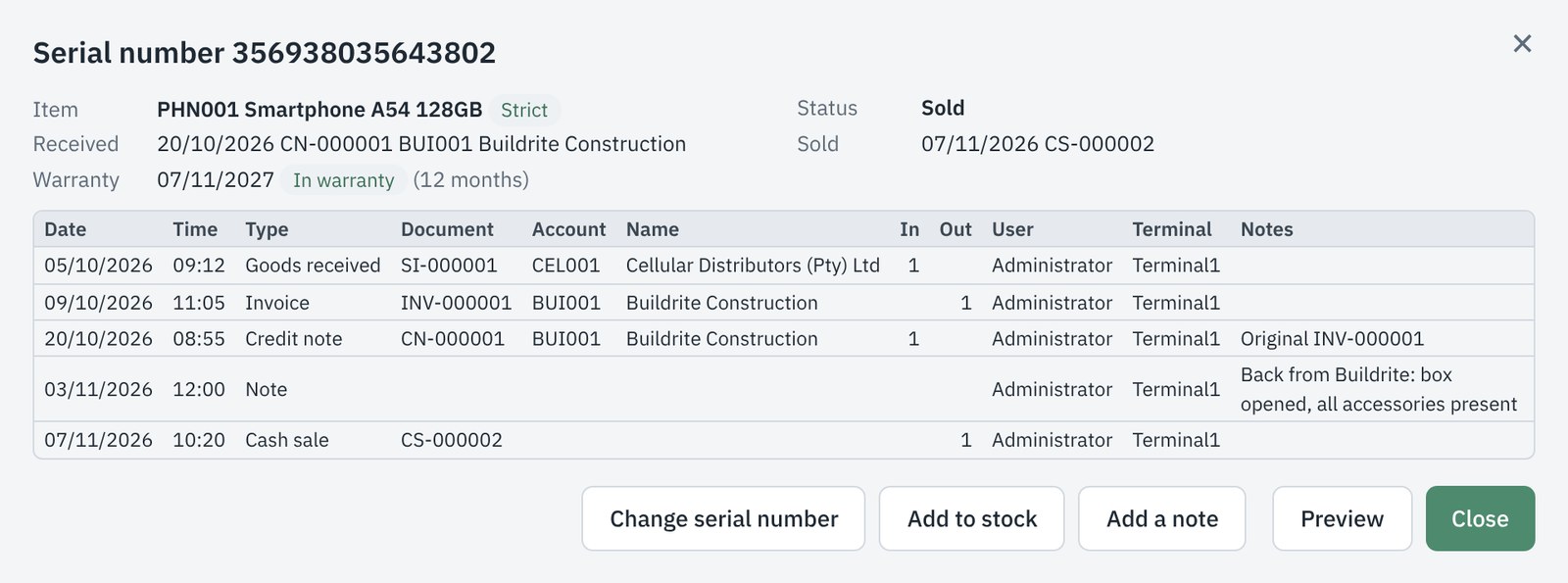
Serial numbers

Every serialised unit tracked from the day it is received until it is sold, returned or written off, with its warranty.

  • Strict tracking by default: every unit accounted for through receiving, stocktakes, job cards, sales and returns
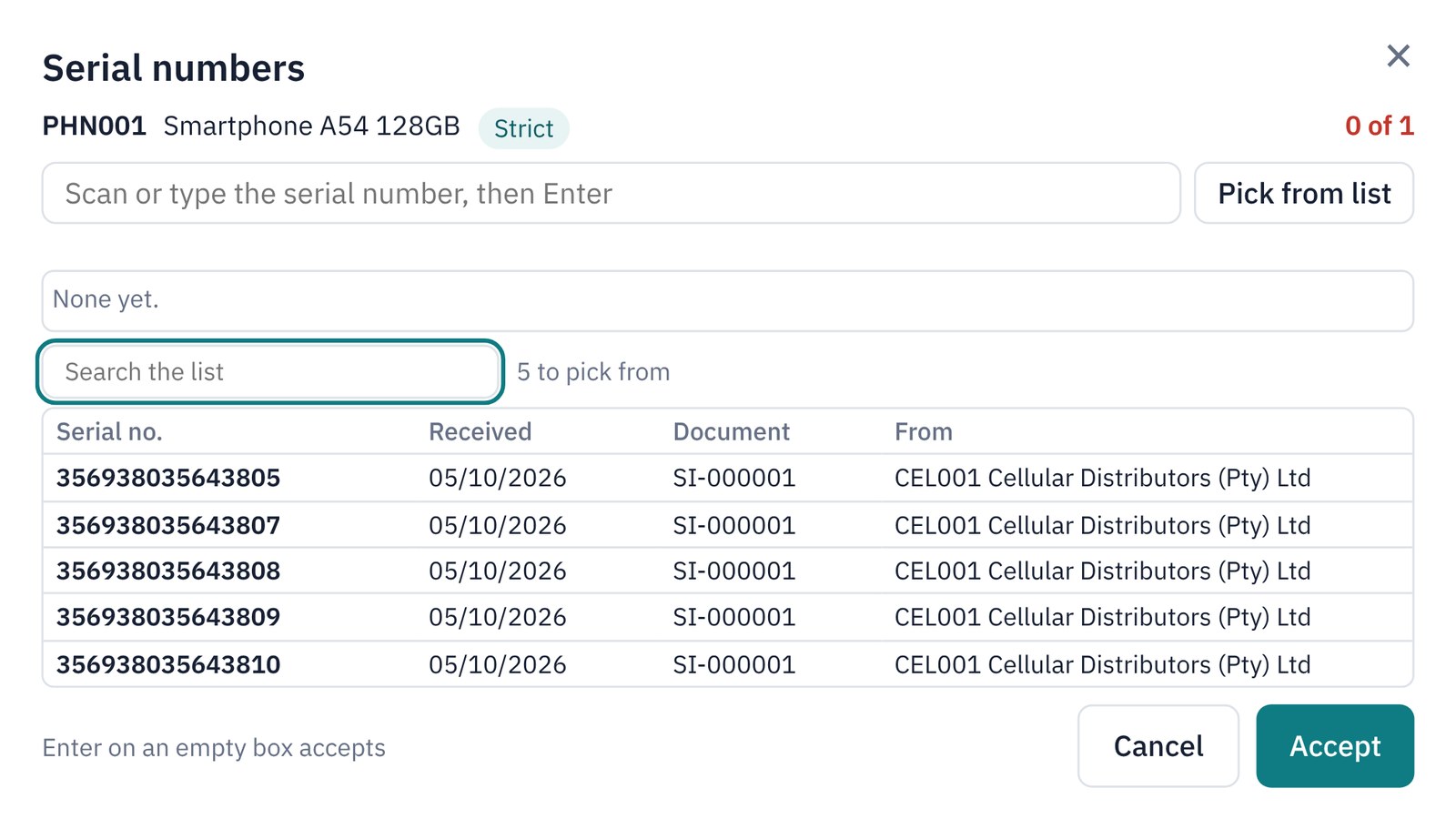
  • Scan the serial number at the POS, or pick it from the units in stock
  • A serial number that is not in stock cannot be sold
  • Returns pick from the serial numbers on the original document
  • Serial numbers print under the item on slips, invoices, job cards and delivery notes
  • Warranty per item, counted from the date of sale
  • A full history for every serial number, with notes, changes and write-offs
  • Serial number reports, with each action under its own Security right
The history of one serial number: received, sold, returned and a note, with its warranty
Inventory

Volumetric sales

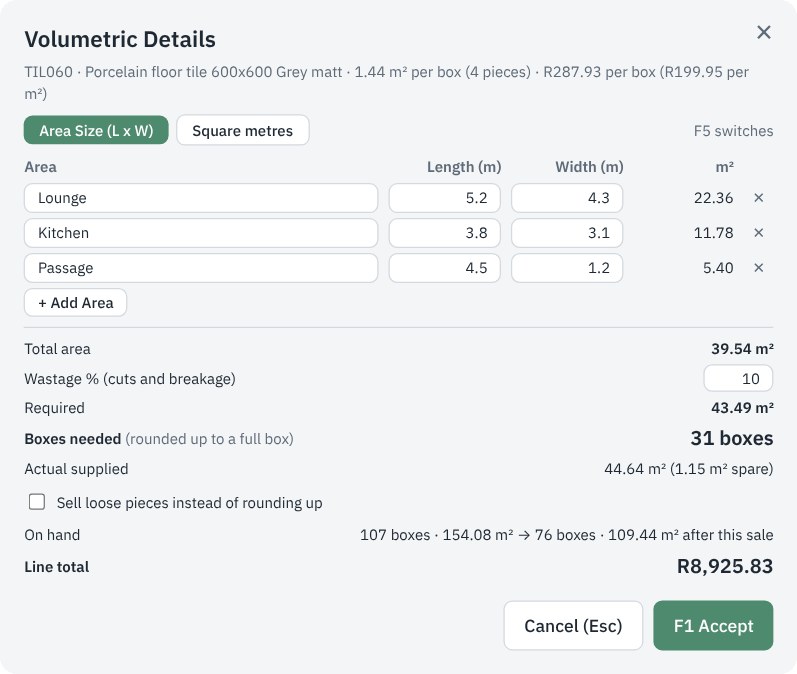
Tiles and flooring held in boxes and sold by the square metre, with the boxes worked out for you.

  • Type each area's length and width, or the square metres
  • Wastage % for cuts and breakage, per item or by default
  • Boxes rounded up to a full box, or loose pieces from an open box
  • Prices per box or per m², with the m² price always shown
  • On hand in boxes, pieces and m², before and after the sale
  • Slips, invoices and quotes show the boxes, m² and areas
  • Cash sales, account sales, quotes, job cards, orders and goods received
Volumetric Details: three areas of porcelain floor tiles worked out to 31 boxes
Inventory

Product compositions

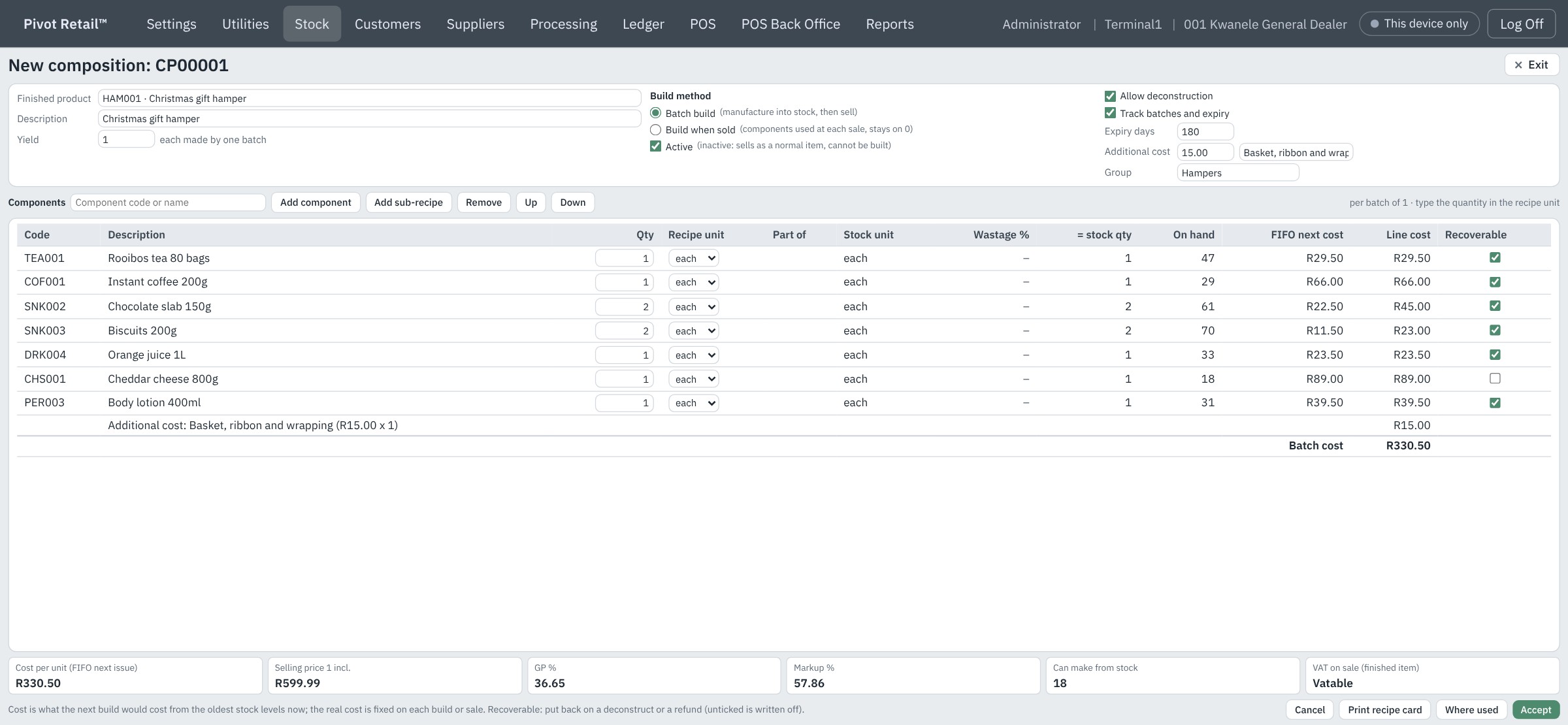
Hampers, recipes and assembled goods with exact costing.

  • Build to stock, or build automatically as it sells
  • Sub-recipes, yields, wastage and additional costs
  • Manufacture and deconstruct with FIFO costing
  • Shortage, cost estimate and build history reports
A hamper composition
Inventory

Intelligent ordering

Supplier orders driven by what actually sells.

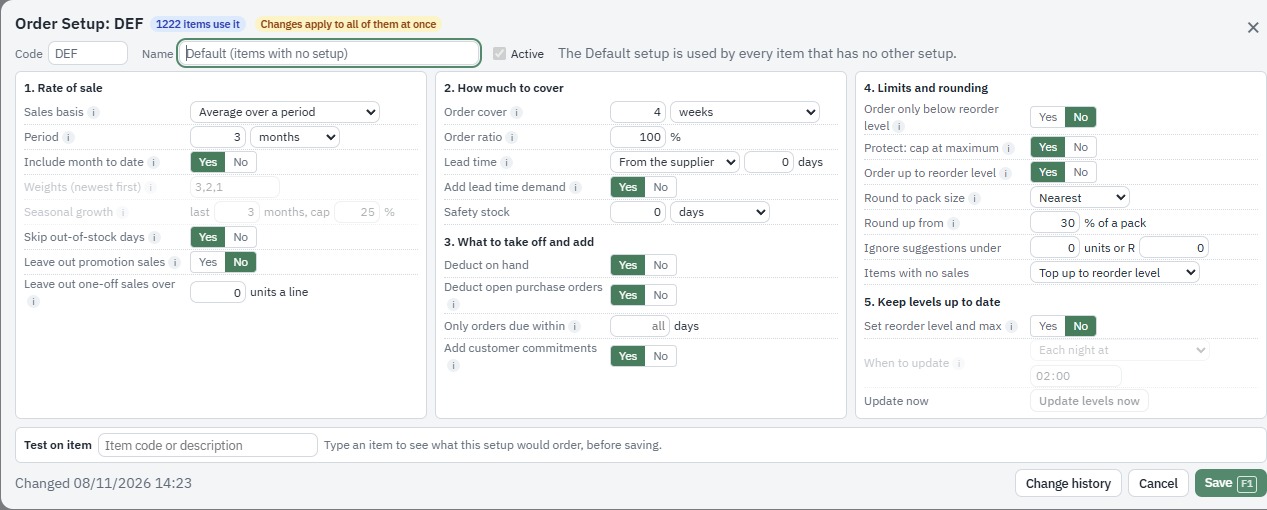
  • Order suggestions from rate of sale and reorder levels
  • Pack sizes, minimums, maximums and seasonal changes
  • Every suggested quantity explained
  • One step from suggestion to purchase orders
An order setup: rate of sale, cover, deductions, limits and rounding
Accounts and documents

Customers and suppliers

Accounts that are easy to run and easy to collect on.

  • Full audit trails, statements and age analysis
  • Credit limits with live checking, and COD accounts
  • Account groups, status and on hold per module
  • Statements and documents by email, or by WhatsApp with the add-on
Accounts and documents

Quotes, job cards and purchasing

Run the whole order cycle in one program.

  • Quotes that become invoices
  • Job cards for workshops and repairs
  • Purchase orders, goods received and returns
  • Design your own invoices, slips and reports
Accounts and documents

Dispatch and collection

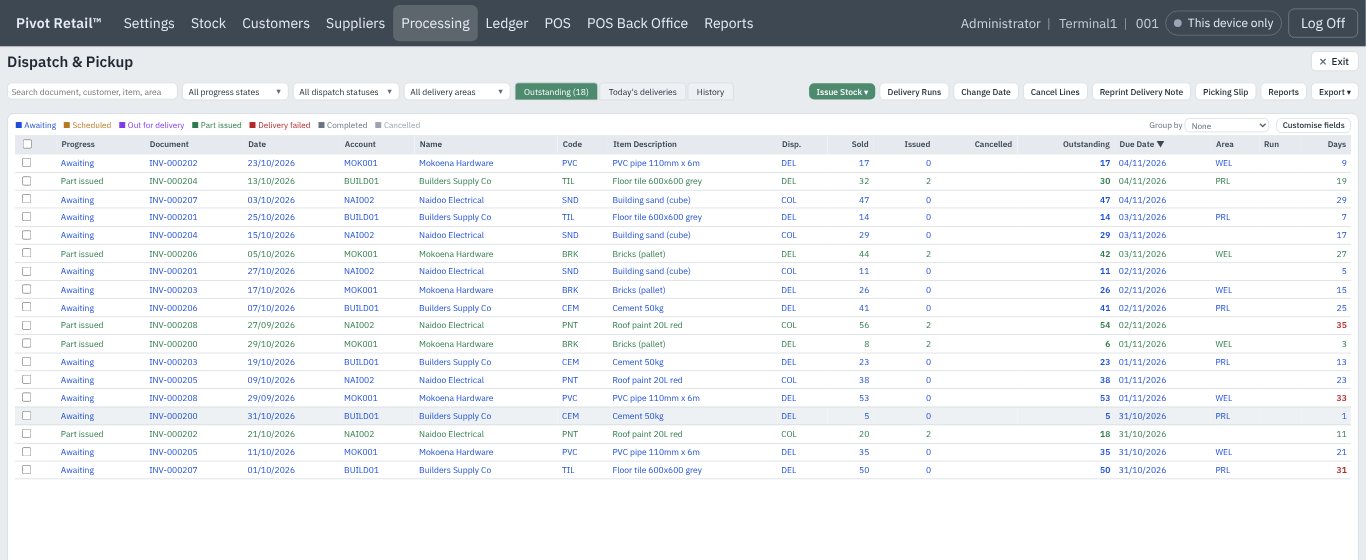
Every line tracked from invoice to doorstep.

  • Delivery notes and collections against the invoice
  • Delivery runs by area, vehicle and driver
  • Loading sheets and delivery confirmation
  • Outstanding deliveries per line, always visible
The dispatch and pickup list
Accounts and documents

Ledger and VAT

Your General Ledger and VAT returns, straight from your trading.

  • Output and input VAT worked out to the SA VAT Act
  • VAT summary and detailed breakdown
  • General Ledger posted automatically from trading
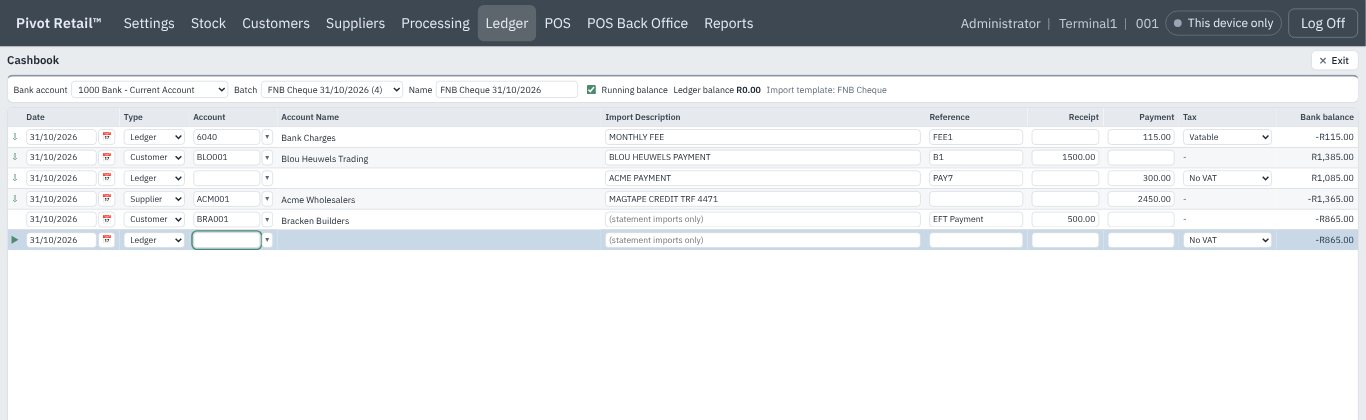
  • Cashbook, bank reconciliation and budgets
  • Trial balance and financial statements
The ledger cashbook
Accounts and documents

Control and security

Every user sees only what they need.

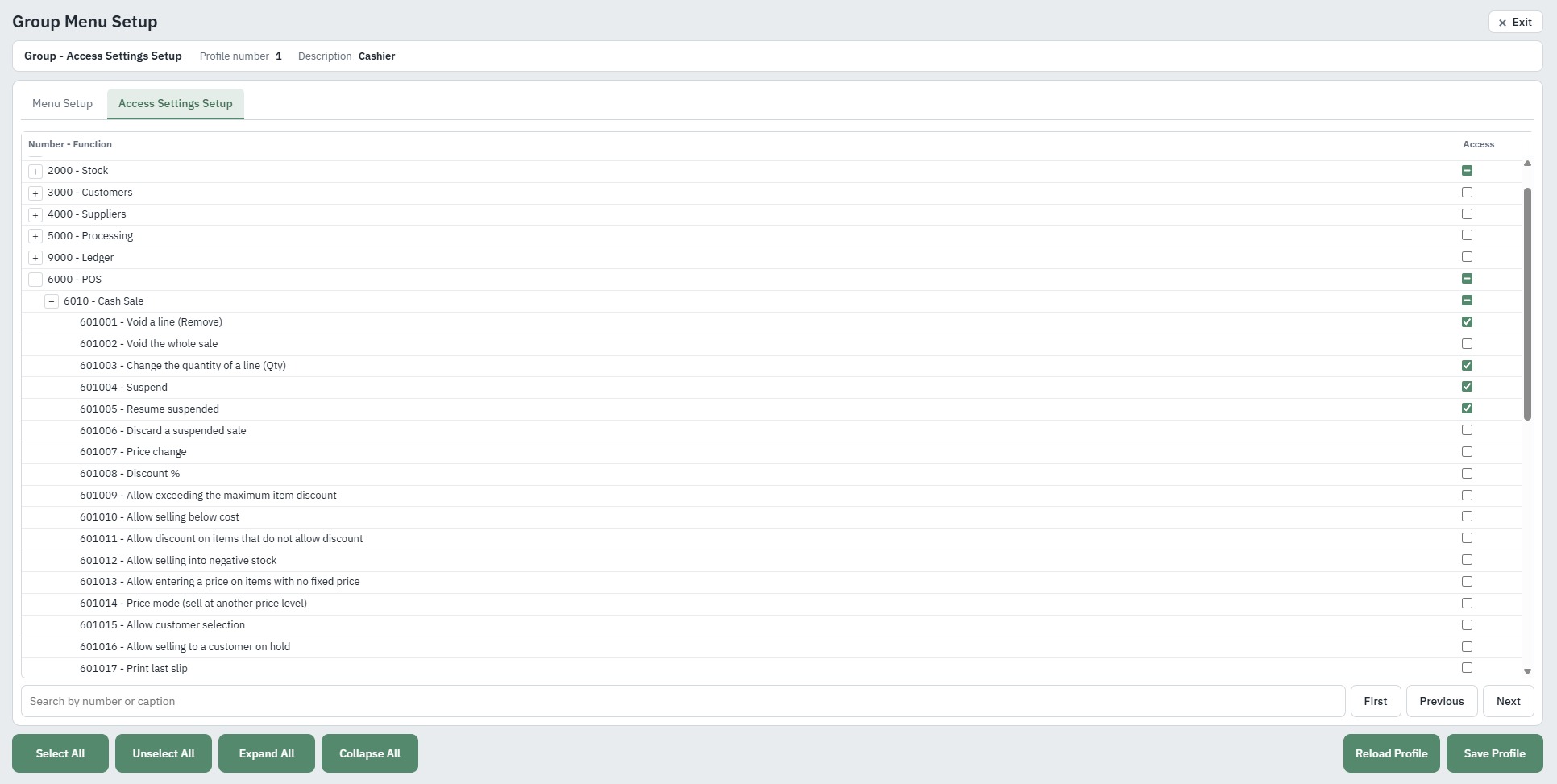
  • Profiles with access set per screen and per action
  • Manager PIN approvals at the POS
  • Audit trails for POS, accounts and stock
  • Several companies in one installation
Access settings for a Cashier profile: every POS function allowed or not